
Detect Pixel activity
SDK presence, initialization calls, Pixel IDs and activity on the current site.
Independent Chrome debugging tool
Inspect browser-observable ChatGPT Ads Measurement Pixel activity, conversion events, requests and implementation issues, directly in Chrome.
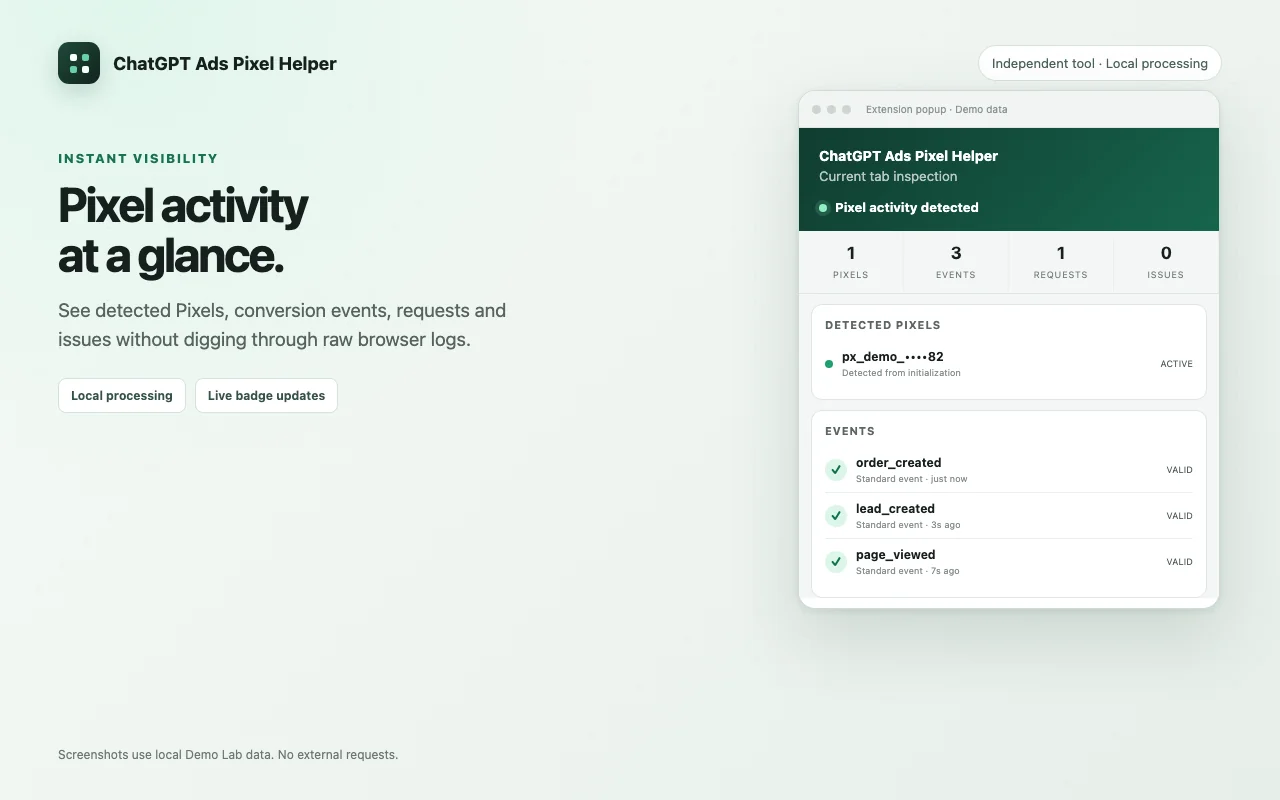
Everything in one place
For performance marketers, analysts, developers and implementation teams working with the ChatGPT Ads Measurement Pixel.
SDK presence, initialization calls, Pixel IDs and activity on the current site.
Standard and custom events, sanitized parameters, event options and validation messages.
Requests to the documented measurement host, with HTTP status when Chrome exposes it.
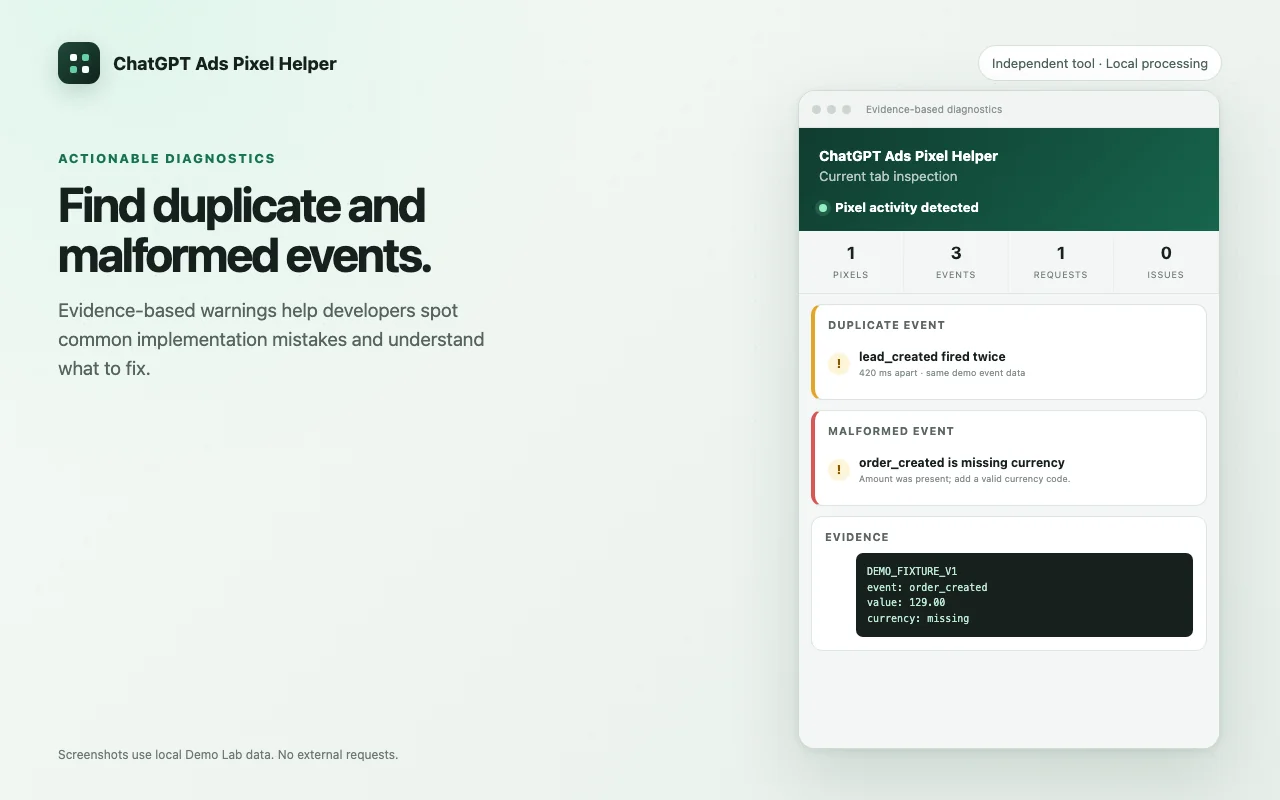
Malformed events, likely duplicates, failed requests and multiple Pixel IDs, each with evidence.
A larger timeline, event list, network activity, issues and consent context inside Chrome DevTools.
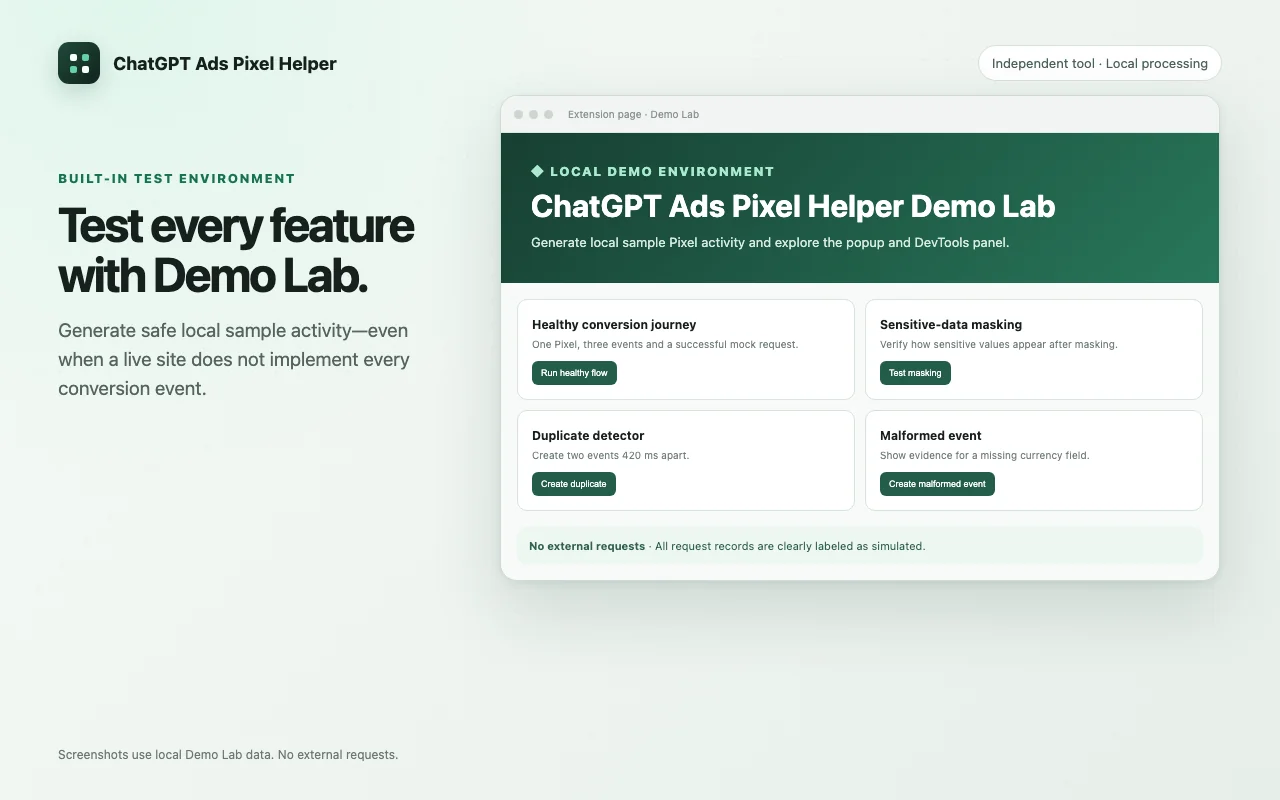
Clearly labeled local samples to explore every feature without contacting an external server.
Clear diagnostics
Instead of digging through raw console messages, see what was observed and why each warning was raised.
Built-in test environment
Not every site has every event ready to test. Demo Lab creates safe, local sample records for healthy, malformed, duplicate, privacy, consent and failure scenarios.
Simple workflow
No account, external dashboard or developer-operated backend.
Visit or reload the page whose Measurement Pixel setup you want to inspect.
Select the toolbar icon to review detected Pixels, events, requests and issues.
Interact with the site, then inspect the temporary timeline and the DevTools view.
Privacy by design
No analytics, telemetry, account system or PPCBlogPro-operated backend. URL query values are redacted and fragments removed before anything is stored or shown.
FAQ
Something else? See the support page or email hokhanhdien@gmail.com.
No. ChatGPT Ads Pixel Helper is an independent debugging tool by PPCBlogPro. It is not affiliated with, endorsed by, or maintained by OpenAI.
No. Analysis runs locally in Chrome. The extension does not send browsing activity, Pixel IDs, event payloads or customer information to PPCBlogPro.
No. It reports browser-observable evidence only. It cannot verify Ads Manager configuration, campaign attachment, attribution, reporting acceptance or server-side deduplication.
Measurement Pixel implementations can live on any advertiser website. Website access lets the extension observe relevant page activity locally. It does not export website data.
Yes. Open the built-in Demo Lab to generate clearly labeled local sample activity without loading the SDK or contacting an external server.
Install ChatGPT Ads Pixel Helper and inspect implementation evidence directly in Chrome.
Add to ChromeChatGPT Ads Pixel Helper by PPCBlogPro is an independent developer tool. It is not affiliated with, endorsed by, or maintained by OpenAI. It reports browser-observable evidence only.